What Are Mint and Freeze Authority on Solana?
Mint authority decides whether a Solana token's supply can grow; freeze authority decides whether anyone can lock holders' balances. What both do, which metadata and Token-2022 authorities exist, when keeping them is legitimate, and how to check and revoke them.
 Antonio Vaganovs·Published ·12 min read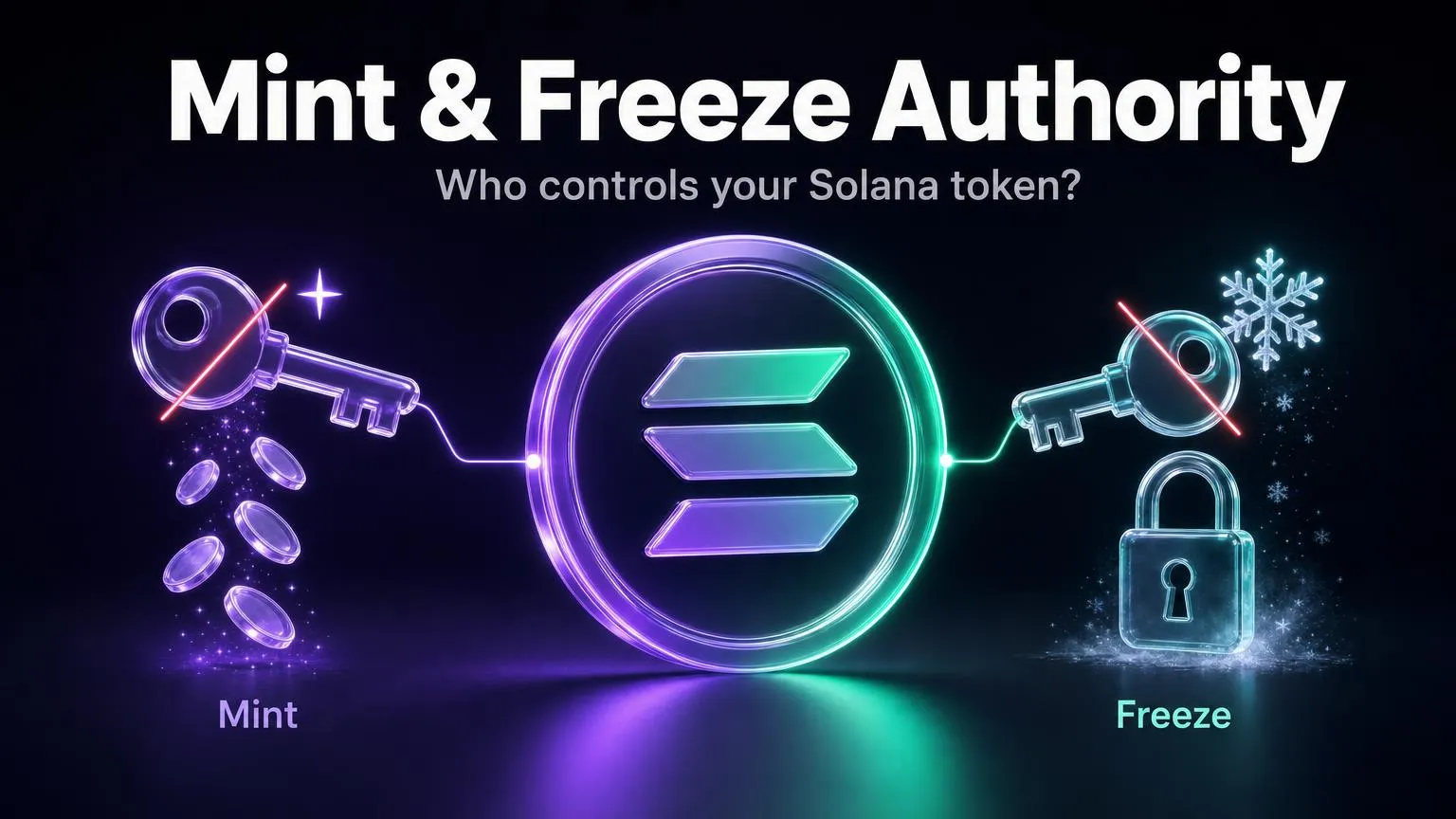
Every token on Solana starts with a mint account: a small record kept by the token program that defines the token itself. Two fields in that record say more about a token's safety than any whitepaper. The mint authority can create new tokens, and the freeze authority can lock any holder's balance. They are the first things token scanners, wallets and DEXes check, and the first things an experienced buyer looks at.
Below: what each authority can actually do, which other authorities a token can have, when keeping one is legitimate and when it is a red flag, how to check any token yourself, and how to revoke authorities with the ChainTx.Tools Solana Token Creator.
The short answer
| Authority | What its holder can do | If revoked (set to None) | Typical choice for a memecoin |
|---|---|---|---|
| Mint authority | Mint any amount of new tokens at any time | The supply is fixed forever | Revoke |
| Freeze authority | Freeze any token account of this mint, and thaw it again | Nobody can ever freeze an account | Revoke |
| Metadata update authority | Change the name, symbol, logo and links | The metadata becomes immutable | Revoke once the logo and links are final |
| Token-2022 extension authorities | Change transfer fees, move or burn anyone's tokens, swap the transfer hook… | The setting is locked as it is | Avoid such extensions, or revoke what you can |
Revoking is a one-way door. Solana's documentation states that setting an authority to None permanently removes that role. Nobody can restore it: not the creator, and not the token program.
What the mint account stores
On Solana a token is not a separate smart contract. Classic tokens are all handled by one shared program, SPL Token, and newer ones by Token-2022. What makes a token unique is its mint account. In the classic program it is 82 bytes long and holds five fields: mint_authority, supply, decimals, an is_initialized flag and freeze_authority (Solana docs). Both authorities are optional: the field either holds an address or is empty. Token-2022 keeps this layout and appends extensions after it, each with its own authorities.
An authority is just a public key. Behind it can be an ordinary wallet, a multisig, or a program-derived address (PDA): an address with no private key, which only one specific program can sign for, under the rules written in its code. So the question is not only whether an authority exists, but who holds it.
Mint authority: who can create new tokens
The mint authority can call MintTo and create any number of tokens into any account. The token program sets no cap, so a "max supply" on a website means nothing while the authority exists. The supply is truly fixed only when the field is empty, and Solana Explorer then labels it Fixed Supply. For a memecoin, an active mint authority is the most serious risk there is: the owner, or anyone who steals the owner's key, can mint billions of tokens, sell them into the pool and take the price to zero in a few transactions.
Yet some of the largest tokens on Solana keep their mint authority, for good reasons:
- USDC. Circle mints new USDC when customers deposit dollars and burns it on redemption. At the time of writing, the USDC mint authority is not a single wallet but a 2-of-4 multisig account of the token program itself.
- Liquid staking tokens. The mint authority of JitoSOL is a PDA of the SPL Stake Pool program. New JitoSOL is minted only when someone deposits SOL into the pool, and nobody can mint it by hand.
- Reward and emission tokens whose supply grows on a published schedule, ideally enforced by a program or held by a multisig.
Compare that with BONK and JUP: both have their mint authority set to None, so their supply can never grow.
An enabled mint authority does not automatically mean a scam, and a revoked one does not guarantee safety. A personal hot wallet holding the mint authority of a memecoin is a red flag. A regulated issuer's multisig or a program PDA with public rules is a design choice.
Freeze authority: who can lock holders' tokens
The freeze authority can call FreezeAccount on any token account of its mint, and ThawAccount to unlock it. Freezing works on token accounts, not on the mint. A frozen account keeps its balance but cannot receive, transfer or burn tokens until it is thawed. Once the freeze authority is revoked, accounts of that mint can never be frozen again.
"Any token account" really means any: a holder's wallet, an exchange's deposit account, even a liquidity pool's vault. That makes freeze authority the basis of a classic scam: buyers can buy, but their accounts get frozen so they cannot sell, and the creator drains the pool. Solflare calls an enabled freeze authority a strong indicator of a possible scam.
The legitimate use is compliance. In its USDC terms, Circle reserves the right to "block" certain USDC addresses associated with illegal activity, and on Solana the freeze authority is the tool for that. For USDC it is also a 2-of-4 token-program multisig. USDT and PayPal's PYUSD keep a freeze authority too. For a regulated stablecoin this is expected; for a memecoin it has no reason to exist.
In Token-2022, the Default Account State extension can also make every new token account start frozen until the freeze authority thaws it.
Metadata update authority
The name, symbol and logo you see in a wallet are not stored in the mint fields above. They live in metadata, which has an authority of its own.
Classic SPL tokens use the Metaplex Token Metadata program. A separate account next to the mint holds the name (up to 32 characters), the symbol (up to 10), the URI of a JSON file with the logo and links, an update authority and an isMutable flag (Solana docs). Setting isMutable to false is final: according to Metaplex, once a token is immutable it cannot be updated.
Token-2022 tokens usually keep metadata inside the mint, using two extensions. Metadata Pointer has an authority that can point the metadata at another address, and Token Metadata has an update authority that can change the fields. Clearing that authority makes the metadata immutable.
Mutable metadata lets an owner rename the token, copy a trending token's logo or swap the website link for a phishing site. Scanners see it as a softer risk: RugCheck shows "Mutable metadata" as a warning rather than a danger, and Phantom's token pages show whether a token is mutable. The trade-off is real, though: once metadata is immutable, a broken logo URL can never be fixed. Make sure the JSON and the image are on durable storage and display correctly in several wallets first.
Token-2022 extension authorities
Token-2022 extensions give a token new powers, and each one comes with its own authority. At the time of writing the program's AuthorityType list has 18 entries. These are the ones buyers care about most:
| Extension | Authority | What it allows | Risk for holders |
|---|---|---|---|
| Transfer Fee | Fee-config authority | Change the fee, up to 100%; a change takes effect two epochs later | High: the fee can be raised after people buy |
| Transfer Fee | Withdraw-withheld authority | Collect the fees withheld in holders' accounts | Low on its own |
| Permanent Delegate | Delegate | Transfer or burn tokens from any account; holders cannot revoke it | Critical |
| Transfer Hook | Hook authority | Switch to another hook program that runs on every transfer | High: new code can block transfers |
| Mint Close Authority | Close authority | Close the mint once the supply is zero | Low |
| Metadata Pointer | Pointer authority | Point the metadata at another account | Same as mutable metadata |
Details are in Solana's docs on transfer fees and the permanent delegate.
PayPal USD (PYUSD), a Token-2022 stablecoin, shows this in practice. At the time of writing its mint has, besides mint and freeze authority, a permanent delegate, a transfer-fee config (fee set to 0%), a transfer hook with no program set, confidential transfers, a metadata pointer, a metadata update authority and a mint close authority. For a regulated issuer this is a deliberate compliance toolkit. On a memecoin, the same list would read as a set of red flags.
When keeping an authority is legitimate
| Token type | Mint authority | Freeze authority | Why |
|---|---|---|---|
| Memecoin, community token | Revoked | Revoked | The code is the holders' only guarantee |
| Fiat stablecoin (USDC, USDT) | Issuer's multisig | Issuer | Mint on deposit, burn on redemption; freeze for sanctions and court orders |
| Liquid staking token (JitoSOL) | Program PDA | None | Only the program mints, when SOL is deposited |
| Reward or emission token | Program or multisig with a published schedule | Usually none | Supply grows by design, but predictably |
| Tokenized real-world asset | Issuer | Issuer, often plus extensions | Legal requirements such as KYC and recovery |
If your project genuinely needs an authority, keep it in a multisig such as Squads rather than a browser wallet, say publicly why it exists and who holds it, and revoke everything you do not need.
How scanners, wallets and DEXes treat active authorities
- RugCheck shows "Mint Authority still enabled" and "Freeze Authority still enabled" as danger-level risks, and "Mutable metadata" as a warning. Well-known stablecoins appear to be handled separately and come back without these flags.
- Jupiter. The Tokens API returns an
auditobject in whichmintAuthorityDisabled: falseandfreezeAuthorityDisabled: falseare marked as risks (Jupiter docs). - Phantom's token pages show whether a token is mutable or mintable, along with the top holders' share (Phantom).
- DEXes. Meteora DLMM does not accept freezable mints without a review (Meteora docs). Orca Whirlpools requires a token badge for mints with a freeze authority and advises disabling it unless there is a clear reason such as legal compliance (Orca docs).
On Meteora DLMM and Orca Whirlpools, a mint that can still freeze accounts does not get a pool without a review or a badge. Revoke the freeze authority before you create pools, not after.
How to check a token's authorities yourself
- Solscan. Open
solscan.io/token/MINT_ADDRESS. The token's profile summary has an Authority field listing the update, mint and freeze authority; a revoked one shows as "N/A" (Solscan guide). - Solana Explorer. The supply is labelled "Fixed Supply" when there is no mint authority, and the Mint Authority and Freeze Authority rows appear only when they are set. For Token-2022 mints the page also lists extension authorities such as Transfer Fee Authority and Permanent Delegate.
- RugCheck. Paste the mint into rugcheck.xyz and look for the flags above.
- ChainTx.Tools. On the Set/Update Authority tab of our Solana Token Creator, paste a mint address and click Load token. The tab reads the mint and its Metaplex metadata from the chain and shows the current mint, freeze and update authority, without connecting a wallet.
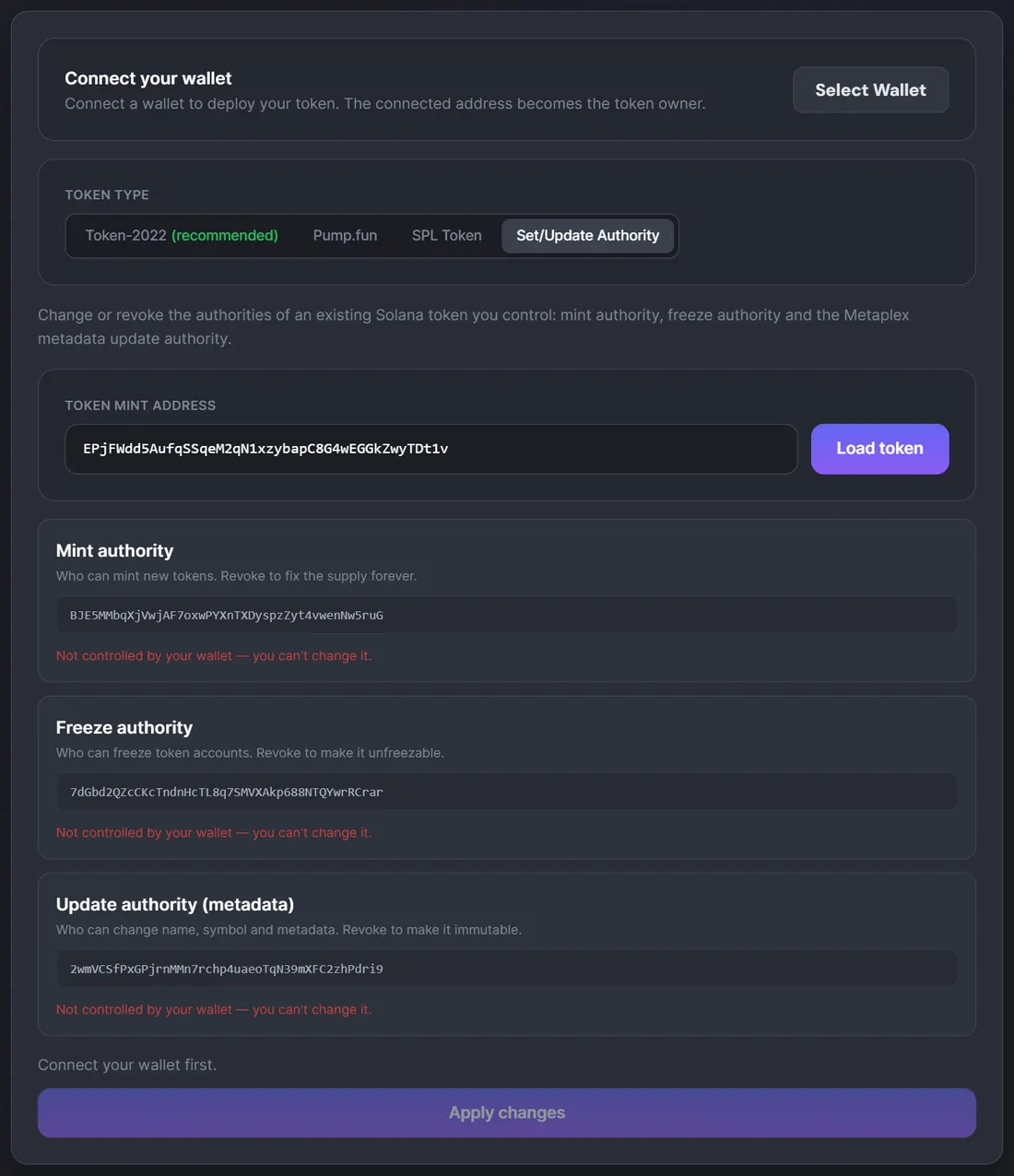
When an authority is set, open the address that holds it. A multisig (as with USDC) or a program PDA (as with JitoSOL) tells a very different story from a fresh wallet funded an hour before launch.
How to revoke authorities on ChainTx.Tools
At creation. In the Solana Token Creator, the "Mint authority" and "Freeze authority" switches are off by default, which means both are revoked ("off = fixed supply", "off = can't freeze"). For Token-2022 the freeze authority is never set, and the mint authority is revoked right after the full supply is minted, in the same transaction; SPL tokens also get everything in one transaction. Coins launched with the Pump.fun type come without either authority by design of Pump.fun's program.
For an existing token, use the Set/Update Authority tab:
- Connect the wallet that currently holds the authority.
- Paste the mint address and click Load token.
- For the mint and freeze authority, choose Keep, Transfer (for example to a multisig) or Revoke. For Metaplex metadata the third option is Make immutable.
- Click Apply changes and approve. Mint and freeze changes go into one transaction, the metadata change into a separate one.
The tab works with both SPL Token and Token-2022 mints, but only for authorities your connected wallet holds; anything else is marked "Not controlled by your wallet".
The update authority on this tab is the Metaplex one. For Token-2022 tokens with metadata inside the mint, the tab shows "No Metaplex metadata on this token" and cannot revoke their metadata, metadata-pointer, transfer-fee or permanent-delegate authorities. Token-2022 tokens created with our Token Creator keep the metadata update authority (and, if you enable a transfer fee, the fee authorities) with the creator's wallet. To revoke those, use the Token-2022 spl-token CLI, for example spl-token authorize MINT_ADDRESS metadata --disable, signed with the authority's keypair.
Common mistakes
- Revoking before the supply is final. After the revoke you cannot add a single token, so mint the full amount first.
- Handing the authority to a "dead" address instead of revoking it. Anyone reading the mint sees an address in the field, and proving that nobody controls it is much harder than showing an empty field.
- Forgetting Token-2022 authorities. Revoked mint and freeze authorities do not help if a fee-config authority or a permanent delegate is still active.
- Believing revoked authorities make a token safe. They remove two specific risks. Unlocked liquidity, concentrated supply and insider wallets are separate checks.
Summary
The mint authority decides whether the supply can grow, the freeze authority whether anyone can lock holders' balances, and metadata and Token-2022 authorities whether the token's identity and transfer rules can change later. For memecoins the standard is simple: revoke mint and freeze, lock the metadata once it is final, and avoid extensions with powerful authorities. Stablecoins and liquid staking tokens keep some authorities by design, but hold them in multisigs or programs. Before you buy or launch a token, check these fields yourself: it takes a minute on Solscan, RugCheck or our Set/Update Authority tab.
FAQ
+What happens when I revoke the mint authority?
The mint authority field is set to None and nobody can ever mint new tokens again, so the supply becomes fixed. The change is permanent and cannot be undone. Mint the full supply you need before you revoke.
+Can a revoked authority be restored?
No. Solana's token program has no way to set an authority on a field that has been set to None. That permanence is exactly why buyers and scanners trust a revoked authority.
+Can the freeze authority take my tokens?
No, it cannot move tokens. It can freeze your token account so you cannot send, receive or burn the token until it is thawed. Moving or burning tokens from someone else's account requires the Permanent Delegate extension of Token-2022.
+Why does USDC still have a freeze authority?
Circle issues USDC under regulation and reserves the right to block addresses linked to illegal activity, sanctions or court orders. On Solana that is done with the freeze authority, which for USDC is held by a 2-of-4 multisig. For a regulated stablecoin this is expected; for a memecoin it is a red flag.
+Is mutable metadata a sign of a scam?
Not by itself. RugCheck shows it as a warning, not a danger, and some teams keep it to fix a logo or links. It does let the owner rename the token or swap its logo later, so for a finished token it is better to make the metadata immutable.
+How can I check whether a token's authorities are revoked?
On Solscan the Authority field shows N/A for a revoked authority, and Solana Explorer labels the supply as Fixed Supply when there is no mint authority. RugCheck flags active mint and freeze authorities as danger-level risks. You can also load any mint on the Set/Update Authority tab of the ChainTx.Tools Solana Token Creator without connecting a wallet.
+Can ChainTx.Tools revoke the metadata authority of a Token-2022 token?
Not at the moment. The Set/Update Authority tab changes mint and freeze authorities for both SPL Token and Token-2022 mints, plus the Metaplex metadata update authority. Native Token-2022 metadata can be locked with the spl-token CLI, for example spl-token authorize MINT_ADDRESS metadata --disable.